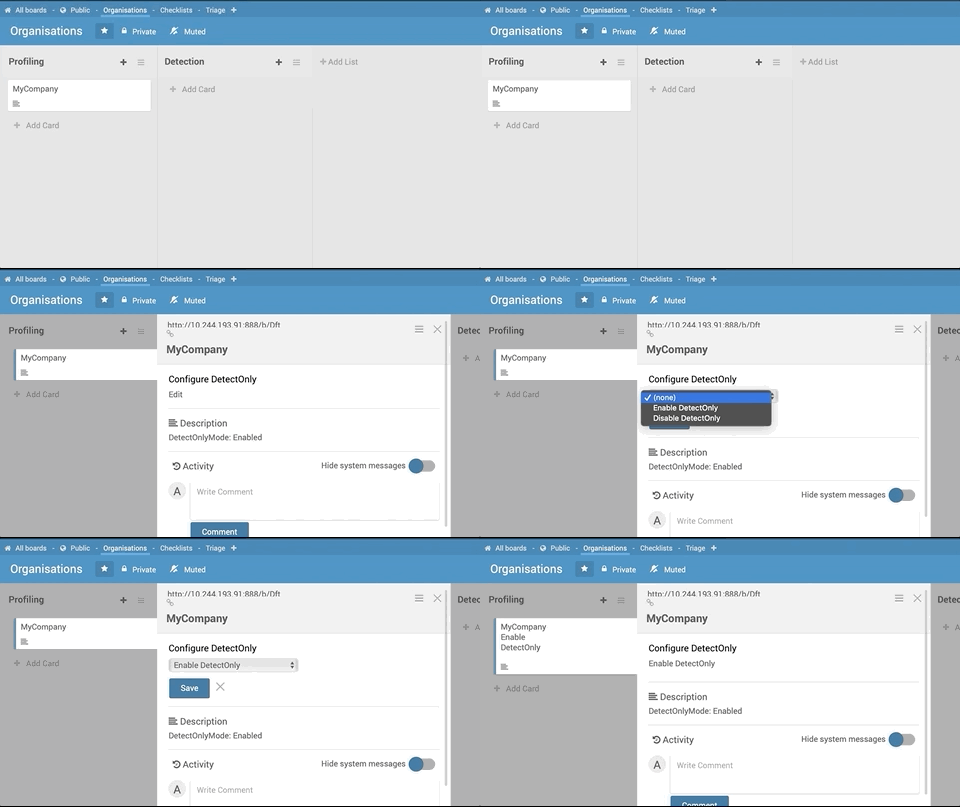
Ensure you are in detectOnly mode
Download latest
https://docs.microsoft.com/en-us/sysinternals/downloads/sysmon
Extract Sysmon.exe to desktop from Sysmon zip
Download sysmon configuration from
https://gist.githubusercontent.com/jymcheong/0ec2ae2a729d4474331d6a64feb68bc3/raw/8bfaf71568b4d4cf82bc6d12c273efb3176e1871/smc.txt
, save to desktop as smc.txt
Use admin (UAC elevated) console or powershell
uninstall current sysmon: sysmon -u
install new: sysmon -i smc.txt
Reboot the Windows target